Skip to page content

AVRC / Robotics

QArm Mini

A compact arm for visual manipulation and mobile robotics.

Four arm joints · parallel gripper

What the system does

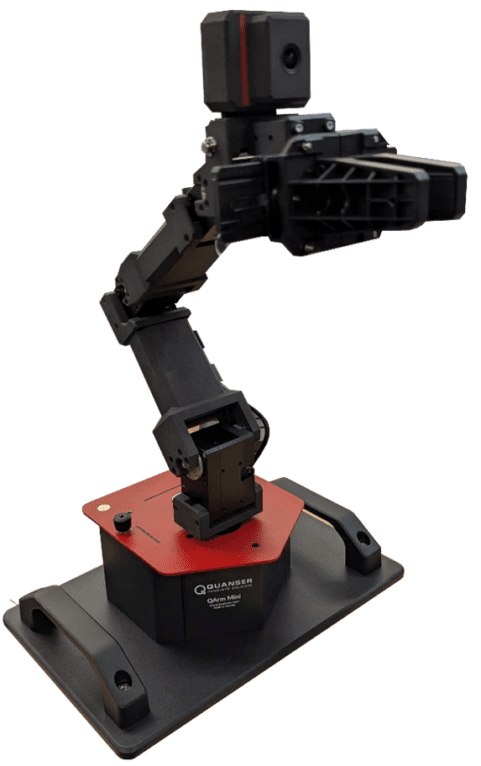
QArm Mini combines base yaw with shoulder, elbow, and wrist pitch, plus a parallel gripper. A post-wrist RGB camera supports visual tasks. It can operate on a desktop or be mounted on a compatible QBot Platform configuration.

Inputs & outputs

Four joint commands plus gripper actuation; joint-state and RGB-image feedback.

QArm Mini product photograph supplied by Quanser
Product photograph and technical source: Quanser QArm Mini ↗

Inside the experiment

ComponentRole in the system
ActuationFour arm joints and a parallel gripper. Its wrist configuration differs from the larger QArm.
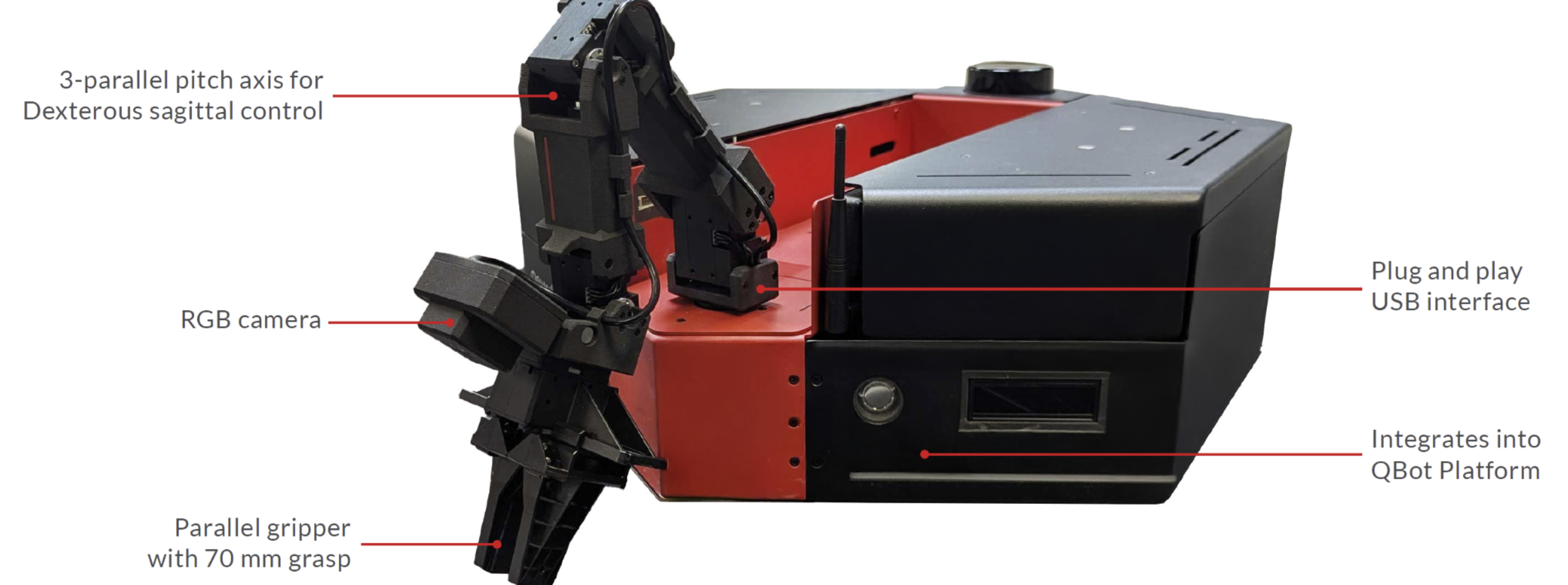
SensingJoint position, speed, and current monitoring; an RGB camera with two mounting orientations.
InterfaceUSB desktop connection or integration with the QBot Platform.
SoftwareMATLAB/Simulink, Python, and ROS 2 workflows.
Annotated QArm Mini mounted on a QBot Platform, with camera and gripper identified
QArm Mini components. Figure reproduced from AVRC’s laboratory equipment report. View full-size figure · Manufacturer documentation

Build understanding through evidence

Suggested AVRC learning activities. Use the linked manufacturer procedure and the instructor’s approved setup for the actual experiment.

A practical learning sequence

  1. Confirm the installed camera orientation and arm mounting.
  2. Work through kinematic manipulation before attempting visual or mobile manipulation.
  3. Compare a planned grasp with its outcome and explain errors in calibration or perception.

Teaching, outreach & research

  • Teaching: kinematics, velocity control, and visual servoing.
  • Outreach: demonstrate object selection and pick-and-place.
  • Research question: how do perception and mobile-base uncertainty affect manipulation?

Go directly to the source

Official manuals and resources may have their own licensing or sign-in requirements. Use material for the exact platform generation and software release.
Prepare before operating.

Complete lab orientation and platform-specific training. Coordinate the experiment with the AVRC team in B20, Mackey Building.

Safety & access

All equipment · Faculty course integration